ברוכים הבאים ל Pro Rank Tracker!
 עברית
עברית
 عربي
عربي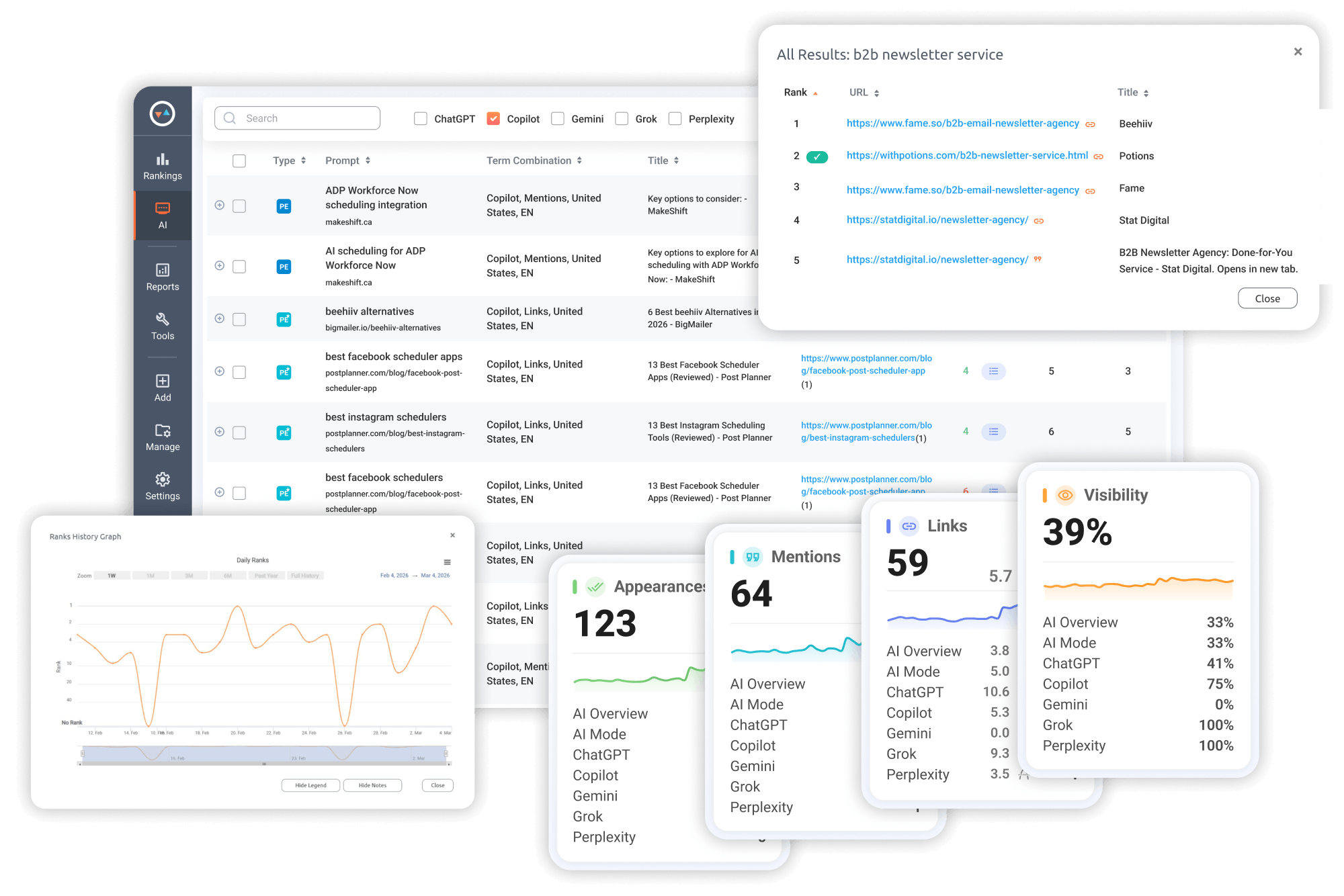
Track Your Entire Search Visibility in One Place Without Add-Ons
G Top-100 Organic Rankings
 Desktop & Mobile Results
Any Location & Language
Desktop & Mobile Results
Any Location & Language
G Business Profile (Maps)
Snack Pack (Local 3-Pack)
Local Finder - Top 100 Map GBPs
Video Rankings
YouTube Results
G Video Results
AI Results Rankings
AI Overviews & AI Mode
ChatGPT, Gemini, Copilot, Perplexity


Other AI Rank Trackers...
- ✖ Charge for each AI platform as a paid upgrade
- ✖ Set prompt pricing at rates that make tracking any real volume unworkable
- ✖ Deliver AI data on a weekly cycle, leaving you with out-of-date data
- ✖ Separate AI and organic rank tracking into different tools
- ✖ Don’t offer customizable, client-ready reports
Pro Rank Tracker...
- ✔ Copilot, AI Overviews, AI Mode, ChatGPT, Gemini, and Perplexity are all part of your plan
- ✔ Gives you credits that you can choose how to allocate across AI and organic rank tracking
- ✔ Ranking data refreshes every day, so your decisions are always based on current information
- ✔ AI and organic rankings are available on the same platform
- ✔ Reports are built to share - white-labeled, automated, and customizable
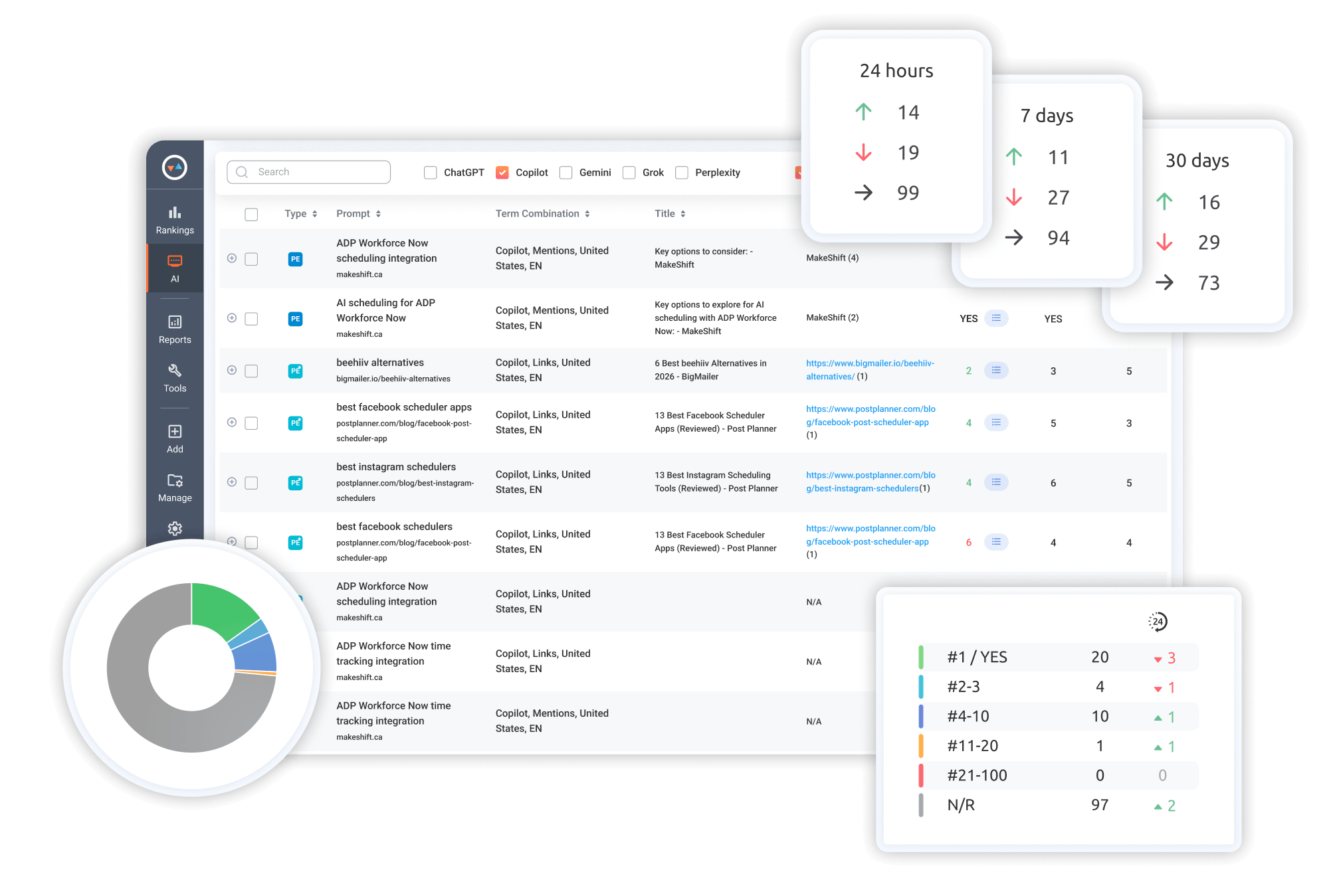
Get a detailed view of your performance in Microsoft Copilot’s AI answers
Filter results to view Mentions only, Link citations only, or both at once
See the context of how your brand is referenced inside a Copilot answer
Track how your Links and Mentions trend across daily, weekly, and monthly timeframes
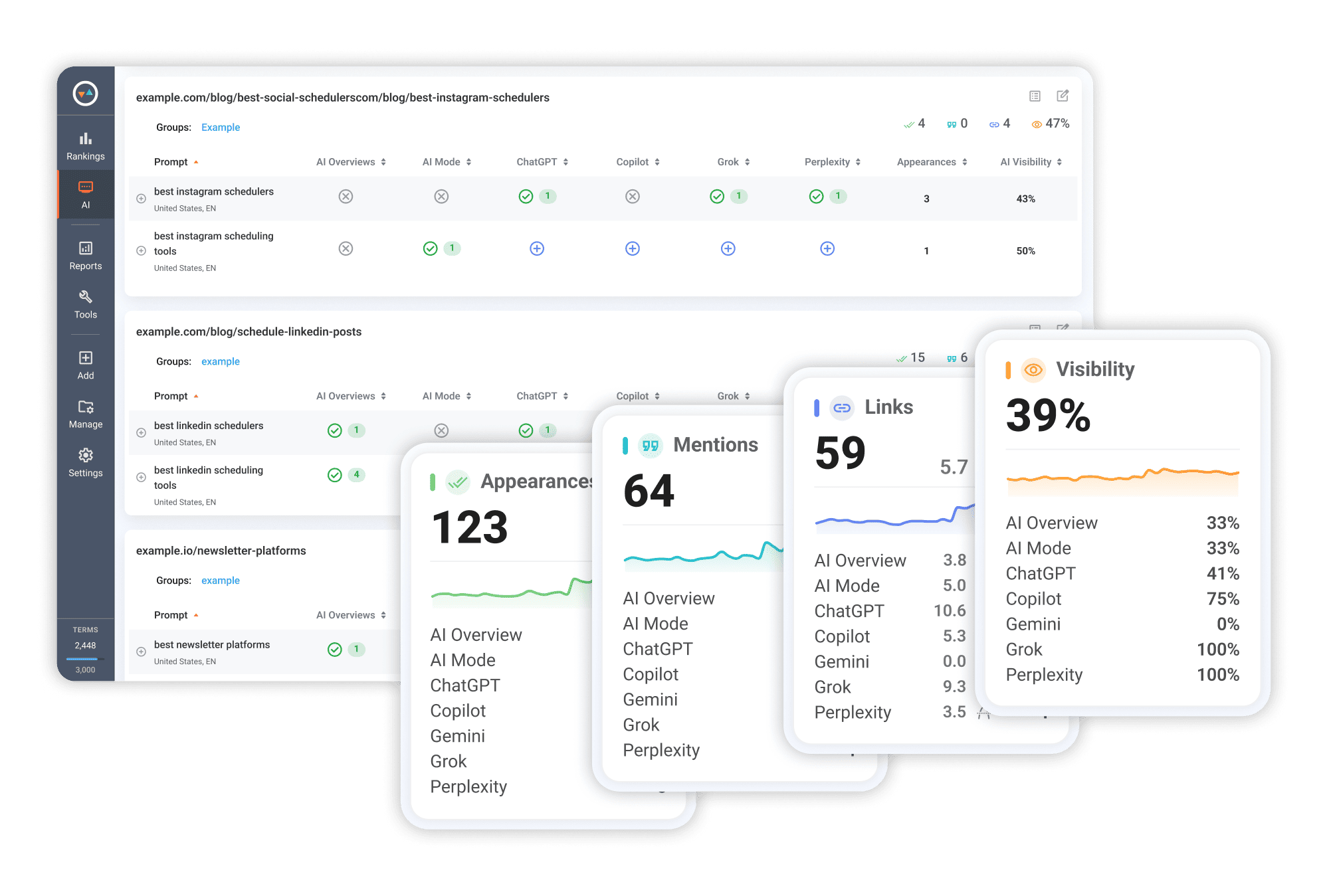
Get a complete view of your AI visibility across AI platforms
Compare visibility across Copilot, AI Overviews, AI Mode, ChatGPT, Gemini, and Perplexity
Monitor how frequently your brand gets mentioned or your URLs get cited
Stay current on every visibility change with ranking data that refreshes daily
Break down your total AI presence by Mentions and Links
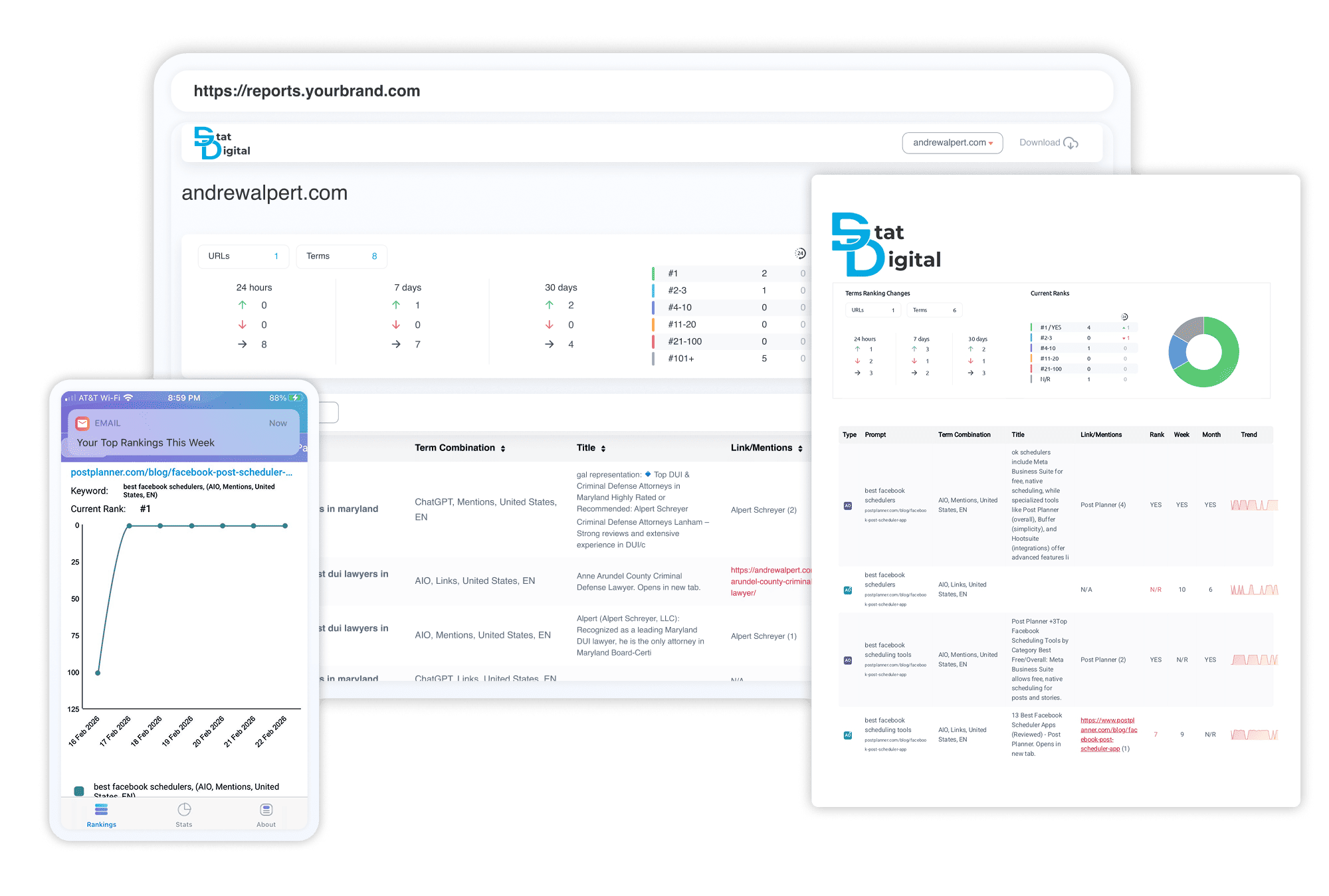
Deliver automated, fully branded, and shareable ranking reports that keep clients in the loop
Set a delivery schedule for reports to go out automatically every day, week, or month
Export as PDF, XLSX, or CSV, send directly to Google Sheets, or plug into Looker Studio
Make every report look like it came from your brand with custom logos, colors, headers, footers, and cover letters
Generate a live shareable report link with optional password protection and your own domain
Set up alerts so ranking changes get flagged the day they happen
Give clients direct access to their own ranking data through the MyRanks mobile app
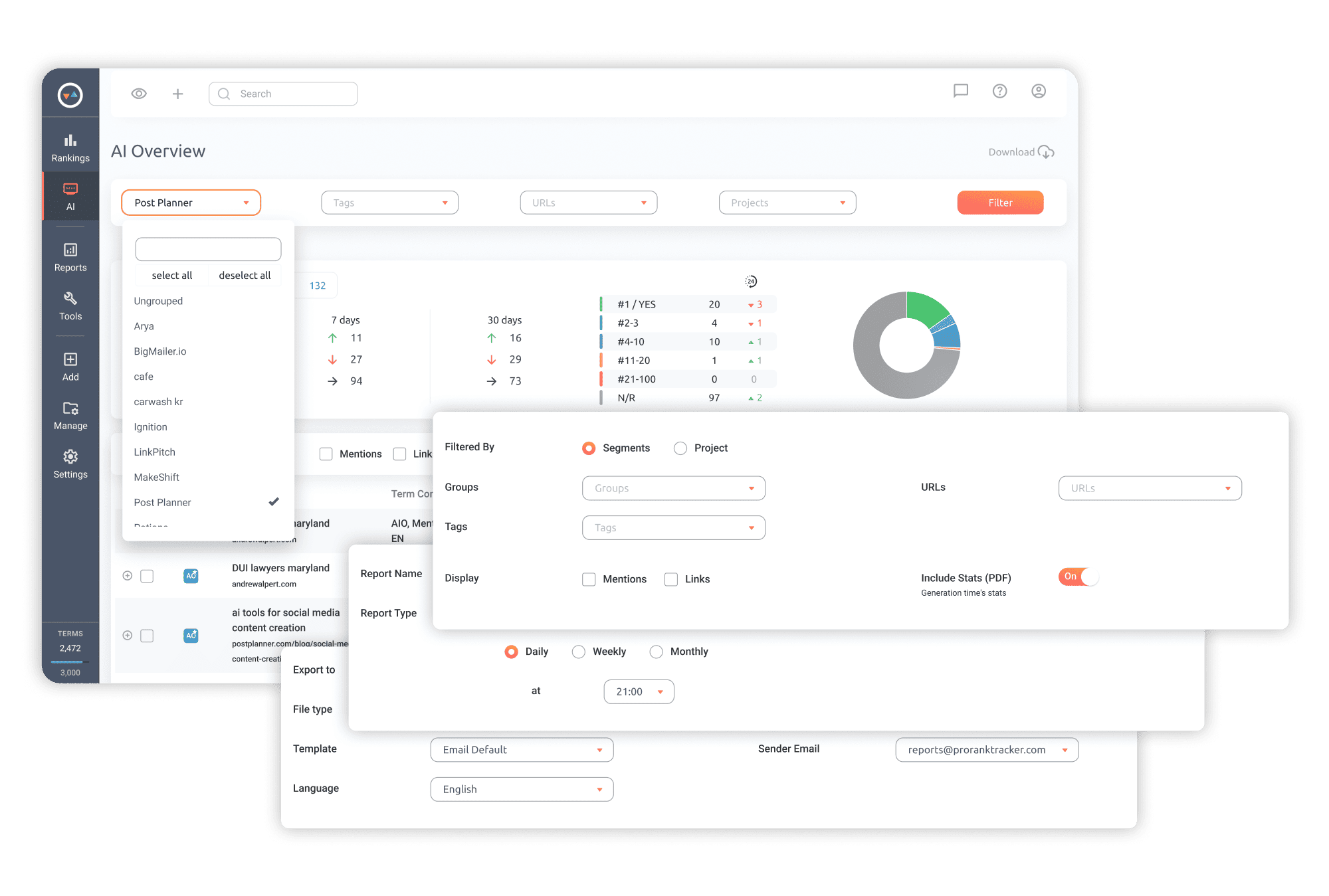
Organize and sort your ranking data exactly how you want it
Organize tracking by client or campaign using Projects, Groups, and Tags
Filter results by country, language, or ranking range to zero in on what matters
Switch between Mentions, Links, or both, depending on what you need to review
Isolate rankings that moved up, dropped, or held flat
Frequently Asked Questions
What is Copilot Rank Tracking?
Copilot Rank Tracking gives you a daily read on how your brand shows up inside Microsoft Copilot's AI-generated answers.
Every tracked prompt returns 2 main data points: Links (where your URL appears among cited sources) and Mentions (where your brand name shows up in the answer text).
Every tracked prompt returns 2 main data points: Links (where your URL appears among cited sources) and Mentions (where your brand name shows up in the answer text).
How is Copilot Rank Tracking different from regular SERP tracking?
Organic rank tracking tells you where your page sits in a list of search results.
Copilot writes an answer and selects sources to back it up, so your visibility lives in two places: the answer text itself and the list of cited sources.
ProRankTracker’s Copilot Rank Tracking measures both. If your brand isn't appearing in either, you'll see an "N/R" (Not Ranked) status.
Copilot writes an answer and selects sources to back it up, so your visibility lives in two places: the answer text itself and the list of cited sources.
ProRankTracker’s Copilot Rank Tracking measures both. If your brand isn't appearing in either, you'll see an "N/R" (Not Ranked) status.
What is a Mention in Copilot?
A Mention is when Copilot includes your brand or product name directly in its answer text. It doesn't need to be linked to count.
ProRankTracker captures the full sentence so you can see exactly how your brand is being referenced.
ProRankTracker captures the full sentence so you can see exactly how your brand is being referenced.
What is a Link in Copilot?
A Link is any URL Copilot surfaces in its answer, including pages it pulls in as cited sources and other external links it references directly within the response.
ProRankTracker shows your ranking position within the links for that prompt.
ProRankTracker shows your ranking position within the links for that prompt.
What can I track in Copilot?
You can track 2 types of AI visibility signals:
- Links (Citations & External URLs) - Track every URL Copilot brings into its answers, whether as a cited source or an external link referenced within the response. See where your pages rank among all URLs and track total link count per prompt.
- Mentions (Text-Match Visibility) - Track when your brand or product name appears in the answer text without a link. Includes sentence context and total mention count per prompt.
Can I also see how competitors appear in Copilot answers?
Yes. Link results show every URL Copilot cited for the same prompt, not just yours. You can also add competitor brand names to your tracking to see where their Mentions appear inside Copilot answers.
How often are AI results updated?
PRT checks AI visibility daily, just like regular SERP tracking.
AI answers can change frequently - sometimes your link or brand is visible, and sometimes it isn’t.
With weekly or monthly checks, you might miss entire visibility windows.
Daily tracking ensures you don’t lose important trends or progress.
AI answers can change frequently - sometimes your link or brand is visible, and sometimes it isn’t.
With weekly or monthly checks, you might miss entire visibility windows.
Daily tracking ensures you don’t lose important trends or progress.
How is AI Rank Tracking priced and counted in my plan?
AI tracking uses Terms from your quota.
Each AI prompt + URL + platform/location = 2 Terms.
If you track the same prompt across multiple locations or platforms, each combination counts separately.
Organic rank tracking is simply 1 Term per keyword combination, for reference.
For example, 1,000 Terms = 500 AI prompt combinations, or a mix of AI + organic tracking, depending on how you allocate them.
Each AI prompt + URL + platform/location = 2 Terms.
If you track the same prompt across multiple locations or platforms, each combination counts separately.
Organic rank tracking is simply 1 Term per keyword combination, for reference.
For example, 1,000 Terms = 500 AI prompt combinations, or a mix of AI + organic tracking, depending on how you allocate them.
Which other AI platforms and features are supported?
Google AI Overviews, Google AI Mode, ChatGPT, Gemini, Perplexity, and Copilot.